What Belongs in an HR Document Management System, and What Can Stay in a Shared Drive
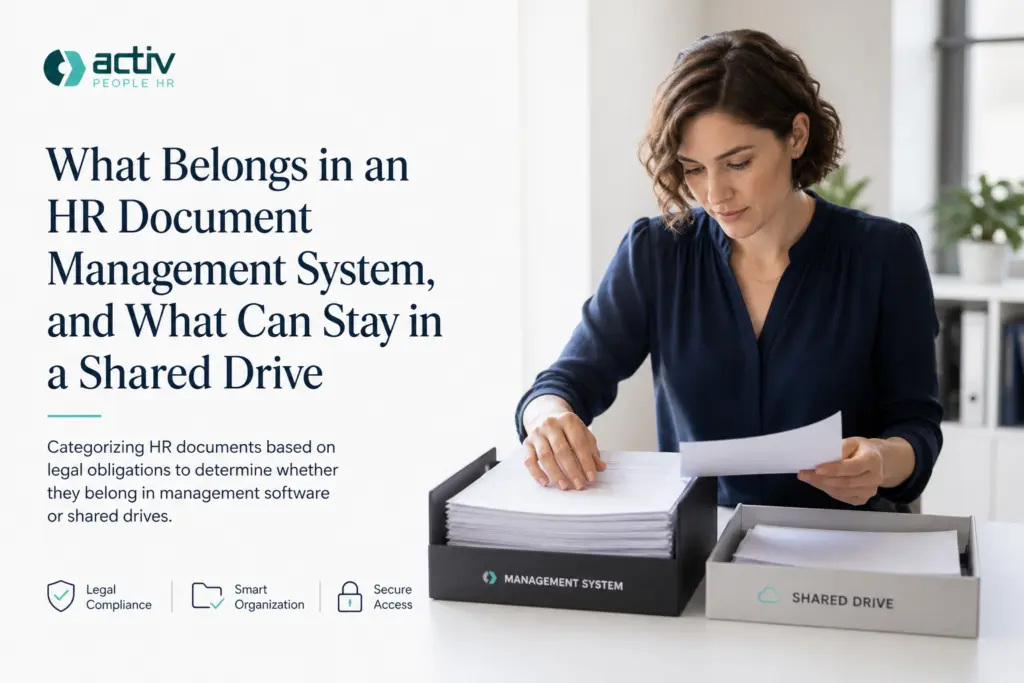
The fastest way to stall a document project is to try to move everything. The second fastest is to move nothing. HR teams often treat migration as an all-or-nothing decision, then spend months debating folders, permissions and priorities before any real work begins. A more practical approach is to ask one question: does this document carry an obligation? Documents that are signed, dated, expiring or version-controlled usually do. Contracts and variations, signed policy acknowledgements, certificates with an expiry date, professional registrations and qualification evidence are strong candidates for an hr document management system. Reference material, general guidance and information that merely informs can often stay in the shared drive. This tutorial explains why “migrate everything” and “migrate nothing” both stall HR projects, how to apply the obligation test, what belongs in an hr document management system, what can remain in a shared drive, why access control, version history and retention rules matter, how to avoid over-migrating, and where Activ People HR fits. By the end, you should be able to move what carries an obligation and leave the rest.
Why “Migrate Everything” and “Migrate Nothing” Both Stall HR Projects
Two instincts dominate when a team decides what to put into an HR document management system. The first is to move everything so nothing is missed. The second is to move nothing, because the shared drive has worked for years and nobody wants to break it.
Both stall the project. Migrating everything creates its own failures: duplicated files, competing versions of the same contract, an access model nobody can maintain, and a timeline that grows each time someone opens another folder of scanned paperwork. Migrating nothing leaves signed documents, expiring certificates and policy acknowledgements in a folder tree with no version history, no expiry prompting and no access control, which is the exact problem the system was supposed to solve.
The real blocker is rarely budget or software. It is undecided scope. Without a rule for what goes in, every document becomes a debate, and the project stalls before the first upload. The problem appears whether you are assessing hr document management software for a 30-person business or a corporate HR function holding thousands of records, so it must be simple enough to explain to a line manager.
A clear rule turns the work into a finite, defensible list. You stop arguing about individual files and start working through categories, which is what makes an HR document management project finish. It is also the difference between moving beyond spreadsheets and simply renaming the folders you already have.
This article sets out that rule: move the documents that carry an obligation, and leave the documents that only inform. Where those records then sit, including alongside onboarding, training and the handbook in HR software that does more than store records, is a later question.
The Dividing Line: Documents That Carry an Obligation
Use four markers: is the document signed, dated, expiring, or version-controlled? Meet one or more and it belongs in a system where the record can be retrieved and evidenced later.
Signed. Anything where a signature, acknowledgement or acceptance matters: employment contracts, contract variations and policy acknowledgements. The point of the record is that a named person agreed to something on a known date. For a worked example of how those records sit together, see what an audit-ready employee file must actually contain.

Dated. Documents whose meaning depends on when they were issued: annual pay reviews, written warnings, or confirmation of a change to working hours.
Expiring. Certificates, licences, mandatory training and professional registrations. These records are only useful alongside a renewal or expiry date, and an expiry you cannot see is an expiry nobody chases.
Version-controlled. Documents that get revised and replaced, such as contracts after a variation. You need to know which version applied at a given time, not just that a document exists.
Treat this as a practical working model for deciding where a document lives, not a recognised standard or a legal test. Retention and erasure obligations are separate and should be set against current ICO guidance on storage limitation, which is under review following the Data (Use and Access) Act.
The model excludes documents from the system rather than adding them, so the default for a borderline case is leave it in the drive until someone can point to a signature, a date, an expiry or a version.
What Belongs in an HR Document Management System
Applying those four markers produces a short, defensible list rather than an inventory.
- Contracts and variations. Employment contracts, variation letters, changes to hours, pay or reporting lines, secondments and promotion records. Signed, dated and version-controlled, these show who signed what, when, and which version superseded which.
- Signed policy acknowledgements. Evidence that a named individual read and understood the handbook or a specific policy, especially information security, data protection and compliance. The record proves acceptance; a drive full of blank policy files cannot.
- Certificates with an expiry date. Mandatory or role-specific training, first aid and health and safety courses, and any credential that lapses. Held with expiry dates, these support chasing renewals rather than discovering a gap during an audit. The expiry date a certificate predicts matters more than the file itself, as Expired Mandatory Training: Why a Spreadsheet Can’t Warn sets out.
- Professional registrations and qualifications. Registration numbers, renewal dates and qualification certificates where a role requires them, so eligibility can be checked when someone moves role or a regulator or client asks.
- Onboarding records. Signed offer documentation, induction records and training logs, the papers that get asked for after the fact.
None of this fixes retention periods. Where a document lives is separate from how long you keep it, so set periods against primary ICO or HMRC guidance.
With that list settled, the next question is what stays behind, which for most teams is more than they expect.
What Can Stay in the Shared Drive
If the system holds documents that carry an obligation, the shared drive holds the material that only informs. That includes current policies and procedures, guidance notes, blank templates, induction packs, org charts, meeting notes, process diagrams and internal how-to documents.
The filter is simple: if nobody would ever need to prove anything about a document, it informs. If someone might need to evidence who signed it, when, or that it was still valid on a given date, it obliges.
Watch for documents with two lives. The blank policy template belongs in the drive. The signed acknowledgement belongs in the system. This is the distinction that stops teams migrating their entire handbook folder twice a year. It also supports Stay Organised and Compliant during onboarding, when the policy itself and the record of acceptance are often handled as separate artefacts.
Keeping something in the drive is not the same as never touching it again. Even reference material benefits from named folder owners, a naming convention and a review date. Otherwise the drive stops being trustworthy and the system gets blamed for problems it did not cause.
Re-check the borderline occasionally. A training deck may be purely informational until attendance is tracked and certified. At that point the completion record moves into the system, not the slide deck.
Where an hr document management software decision affects a small team, the shared drive may still hold most reference content for a long time. That is a reasonable outcome, not a half-finished migration.
Why the Line Matters: Access Control, Version History and Retention
Keeping reference material in the drive only works when records that carry an obligation sit somewhere stricter.
Access control. Signed documents and personal data should be visible only to those who need them. A shared drive is often reachable by a wider group than anyone intended, and permissions drift as people leave or change team.
Version history. Contracts, variations and policy documents change. Knowing which version was in force on a given date turns a query into minutes of work rather than a paper trail rebuilt from email threads.
Retention rules. The ICO storage limitation principle requires that personal data is not kept longer than needed, with standard retention periods wherever possible. Applying that file by file is unrealistic; applying it to categories inside a system is not.
Consistency. When every document in a category is handled the same way, a new HR administrator can follow the process without learning each file’s history. That matters most in small teams where roles overlap.
Frame these as operational controls that reduce risk, not statutory duties in themselves. Access control, version history and retention reminders support good hr document management; present them as risks reduced, not laws complied with. Resourcing that work sits alongside wider pressures, which our review of the 2026 Budget and its effect on HR teams covers.
Check the current position before writing a retention schedule into policy. ICO guidance on storage limitation and on keeping employment records is flagged as under review following the Data (Use and Access) Act.
How to Apply the Test Without Over-Migrating
Once those controls are decided, the practical risk is over-migration. Work by category, not file. List the document types HR actually handles: contracts and variations, signed acknowledgements, expiry-dated certificates, registration and qualification evidence, onboarding records. Stop counting individual PDFs.
Run each category through the four markers from the dividing line. Record that decision in a simple log so the same category is not re-debated next quarter.
Then start with one category carrying an obvious obligation, such as reviewing policies and acknowledgements or certificates with expiry dates. Finish it end to end before starting the next. A completed category persuades the business better than a half-migrated everything.
Define the shared drive’s role in writing: its purpose, folder owners, and content that must never sit there. That makes it a deliberate destination rather than a holding area.
Set an exception list, not a migration list. Borderline items go on it, stay in the drive for now, and are revisited at the next review. Do not pause the project for every judgement call.
Once categories are in the system, assign an owner and a review or expiry rule to each. Check retention against current ICO guidance, not an old internal schedule.
Expect the first pass to feel narrow. A document management system for HR that starts with four or five obligation-carrying categories and grows will outperform one that launches with a complete but unmaintained archive.
Where Activ People HR Fits

Once categories are decided, placement matters as much as classification. Activ People HR covers employee records and documentation alongside onboarding, training records, the company handbook, timesheets, appraisals and performance management. Several obligation-carrying categories therefore sit with the employee record they relate to. A signed acknowledgement, completed induction record or training certificate with an expiry date is more useful attached to the person than filed under a year folder.
That mapping strengthens the test. The platform is configurable, so it can serve a small SME or a larger organisation, and corporate customers often use it as an employee-facing front end while underlying data remains in enterprise systems. If your line leaves most reference material in the shared drive, that is intended, not a gap. The drive stays a library; the HR system holds records carrying an obligation.
Treat vendor selection as a later step. Decide what goes where first, then assess HR document management software against that list. How Activ People HR Can Help when you reach that stage.
Conclusion: Move What Carries an Obligation, Leave the Rest
Vendor choice can wait; the rule cannot. Write it down: signed, dated, expiring or version-controlled means the system, purely informational means the shared drive. Publish it where the whole HR team can see it, so individual documents stop being debated one at a time.
Keep the shared drive’s defined role, its owners and its review dates, as set out above.
The teams that finish are the ones that moved less than they first planned, and knew why. Get that right and your hr document management system holds what it should, and nothing it should not.